• mobile-first web application
Parken.io
(BETA only available in NYC)
ABOUT
Parken.io is a utility web app that provides users with up-to-date information on NYC’s Alternate Side Parking (ASP) suspension schedule, saves their parking location, and reminds them to move their car for street cleaning to avoid parking tickets.
ROLE
Lead Product Designer
TOOLS
Figma, Linear, Shadcn, NYDoT API, Twilio
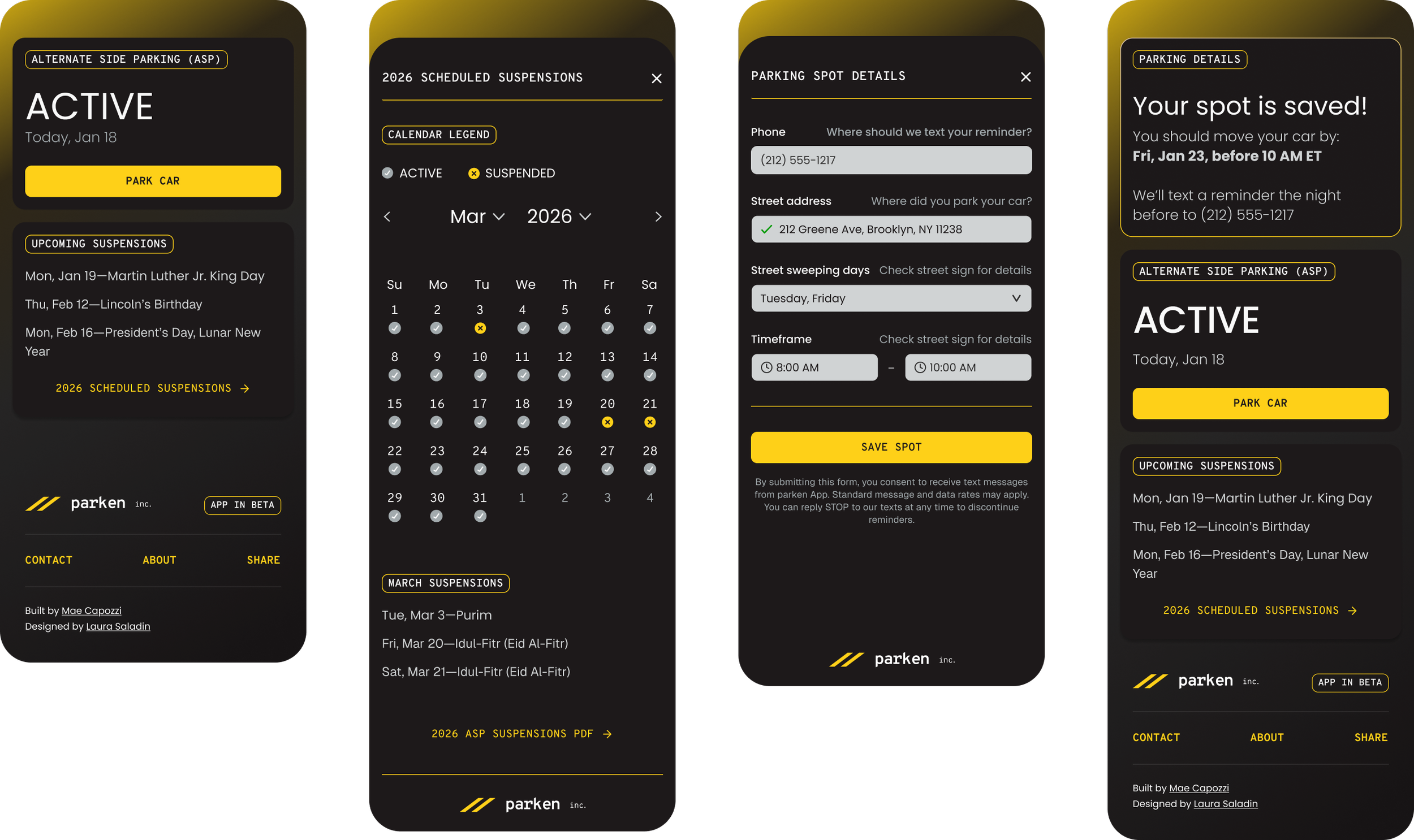
Table of Contents —
I. Discover.
What were we aiming to understand?
the problem
ASP Street Sweeping + Parking Tickets
In major cities like New York, drivers who park on the street must move their cars for street cleaning on specific days at designated times. This presents two problems for city drivers:
Keep track of where you last parked and
Remember when to move your car before street sweeping.
Because so few city drivers have access to garages or driveways, this chore becomes a time-consuming and expensive problem—especially as parking tickets accumulate.
user needs
Who are the primary users?
Busy, time-constrained city-dwellers who own a car and must park on the street. While there’s no published driver demographic information, NYC’s data suggests the average age of residents who drive are in their “prime working years,” which they say is 25 to 54 years old.
How will we determine MVP success?
The app can record and store the user’s parking information, send a notification with ample time for the user to move their car, and skip notifications on suspended or not-in-effect ASP days.
What purpose will this serve?
Remind users where they parked and when they need to move their car for ASP to avoid parking tickets. It should also provide resources like a calendar listing all scheduled suspensions so users can plan ahead.
What do we need to make it work?
New York State Department of Transportation (NYDSoT) Open API, text reminder service, and a component library that would allow quick iteration and implementation for testing the MVP.
resources
New York City Department of Transportation (NYCDoT), Open API, and more
The NYCDoT provides public access to various data through several APIs, including information on ASP activity. Additional free resources—such as NYC311 for daily ASP status and the suspensions calendar, and NYCDoT Signs for street-cleaning schedules—provided additional context and product guidance.
Using NYCDoT [API Documentation] and Twilio, Mae Capozzi (engineer) built the backend and database to record and store user input and trigger text notifications that alert users when they need to move their cars.
II. Define.
How should we solve the problem?
key context
Geographical Constraints
We chose to design a web application with NYC as our pilot region for the MVP, as we’d be able to easily test the product ourselves before sending the link with the BETA version to our local network. Our aim is to eventually scale to a mobile app that can work in other major U.S. cities like San Francisco, Chicago, Boston, etc., consulting with local experts and users to better understand those markets.
primary flow
Set Up Parking Reminders
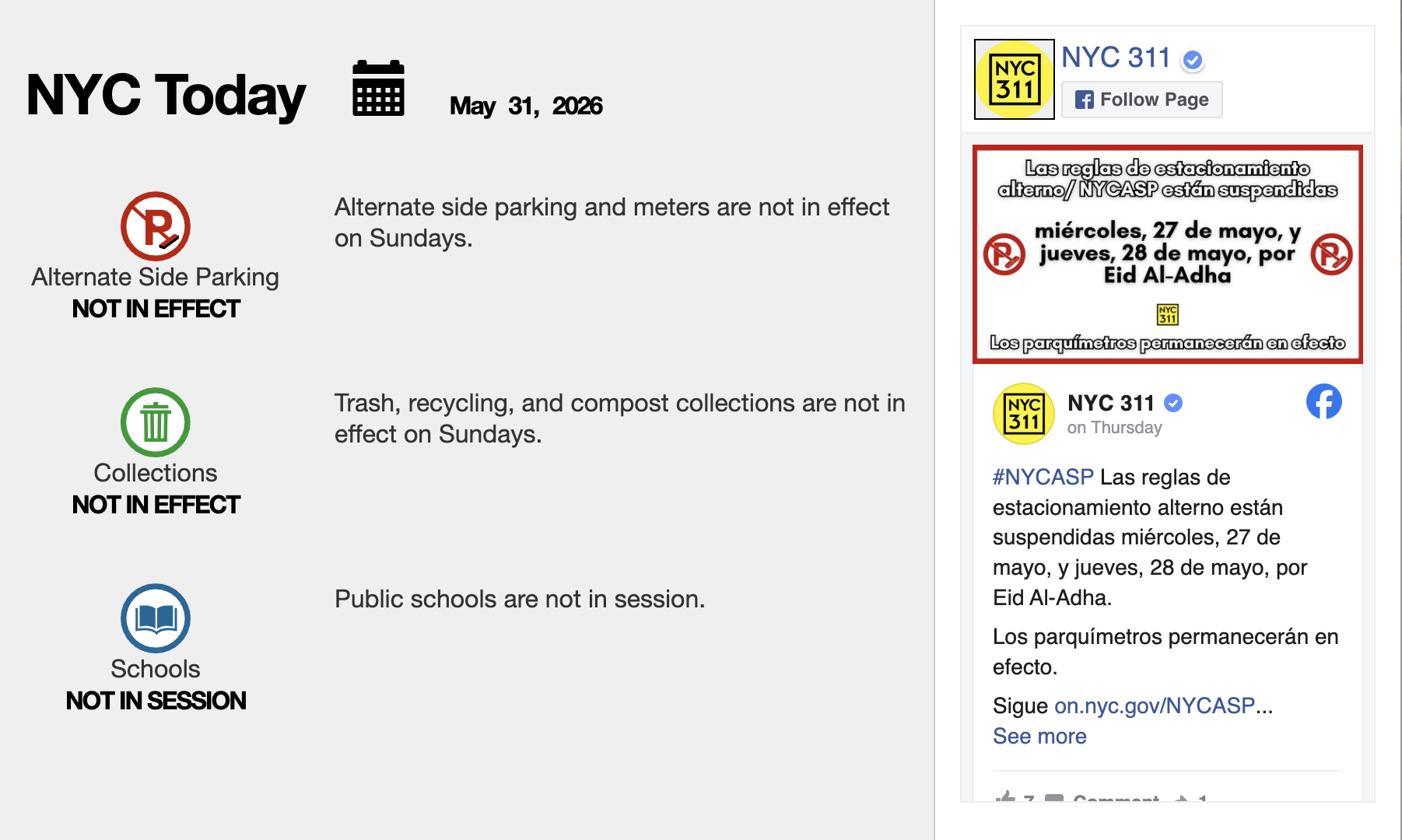
The main purpose of the app is also the primary flow: remind users when to move their car for street sweeping. I laid out the flow, prioritizing speed and ease of use, balanced technical constraints, and making sure to communicate clear hierarchy of information on each screen in the flow.
product roadmap
Features and Parameters for MVP
What features do users need to ensure the product functions and that users can complete the primary flow? What can I add to make the product more enjoyable? The priority features were validated by stakeholder goals and market research.
Required
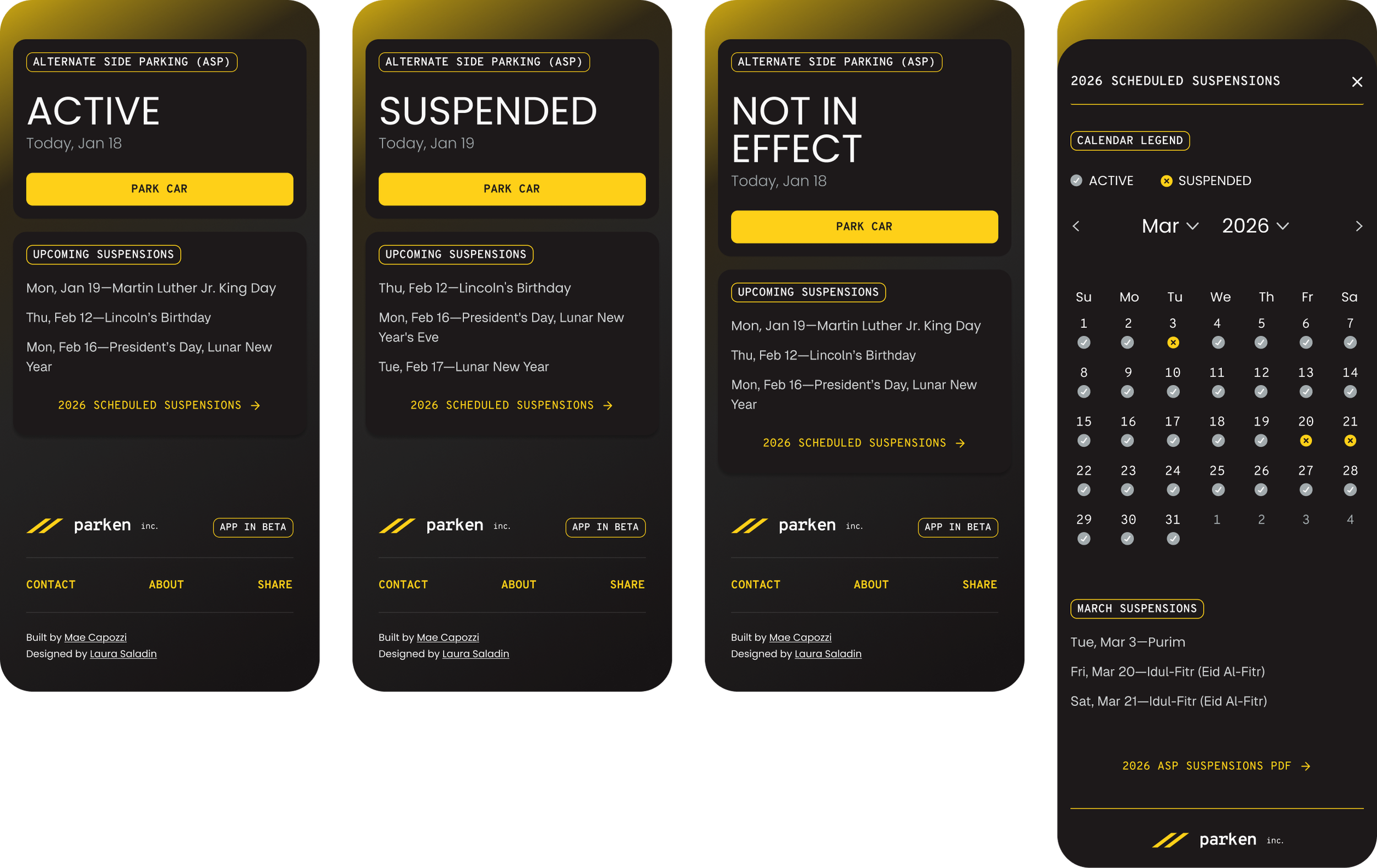
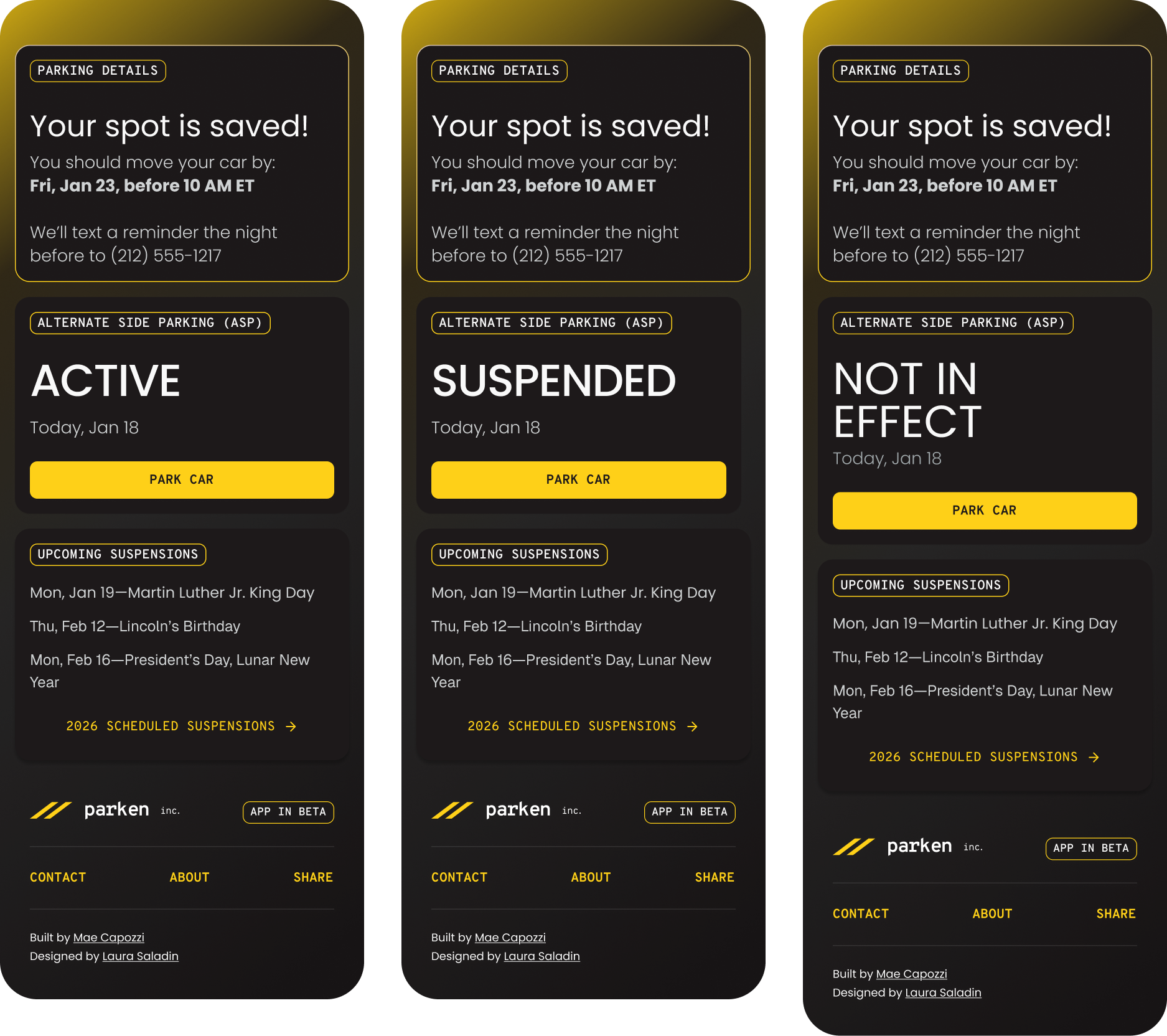
Daily ASP Status Hero: provides the date, daily ASP status, and Park Car CTA.
Upcoming suspensions module: next 4-5 scheduled ASP suspensions, link to full suspensions calendar
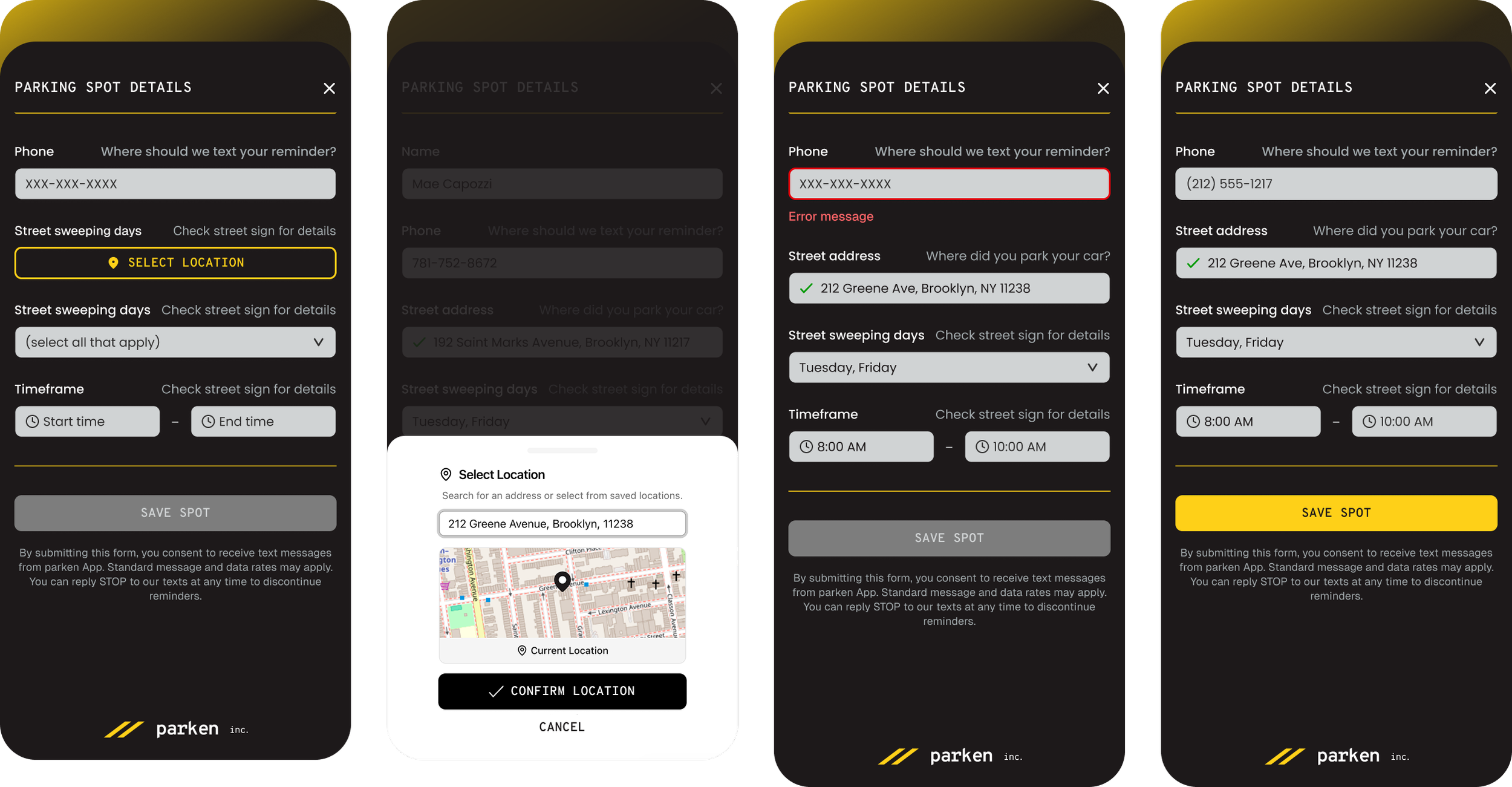
Parking Details Form: collects driver details, car location, and street sweeping sign details.
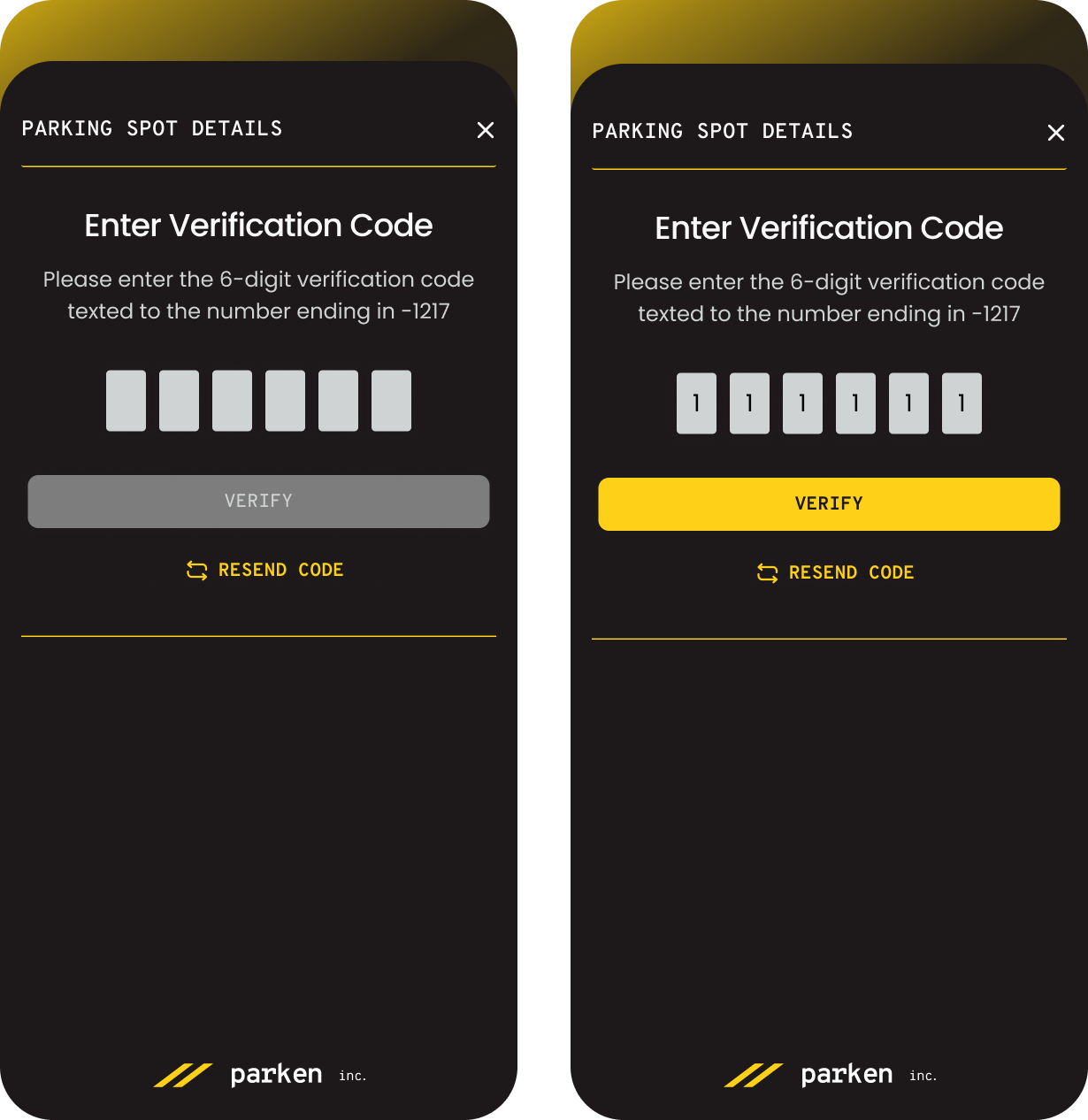
Reminder texts: using data collected from, alert users the night before and the morning of when they need to move their car. Ideally, it will also notify users of unscheduled suspensions.
Footer: Privacy policy for user trust and Contact CTA for collecting feedback
Nice to have
Calendar: monthly calendar outlining scheduled active and suspended ASP days so users can plan ahead.
Locate Me: A GPS-enabled feature that lets users quickly pin their location instead of entering an address.
ASP side-of-street quick select: using user address input and NYCDoT Open API, allows the user to select the side of the street they’re parked on.
Feedback form: an in-app form for users to easily report bugs and provide feedback.
Marketing Website: Privacy policy for user trust and Contact CTA for collecting feedback
(BETA only available in NYC)
III. Design:
What should it look like, and how should users interact with it?
direction
North Star
My north star for the designs was “how do we make this app as quick to reference and use as possible?” Content should be minimal and clear, contrast should be high, and our primary flow should be immediately accessible.
brand identy
Balancing Form and Function
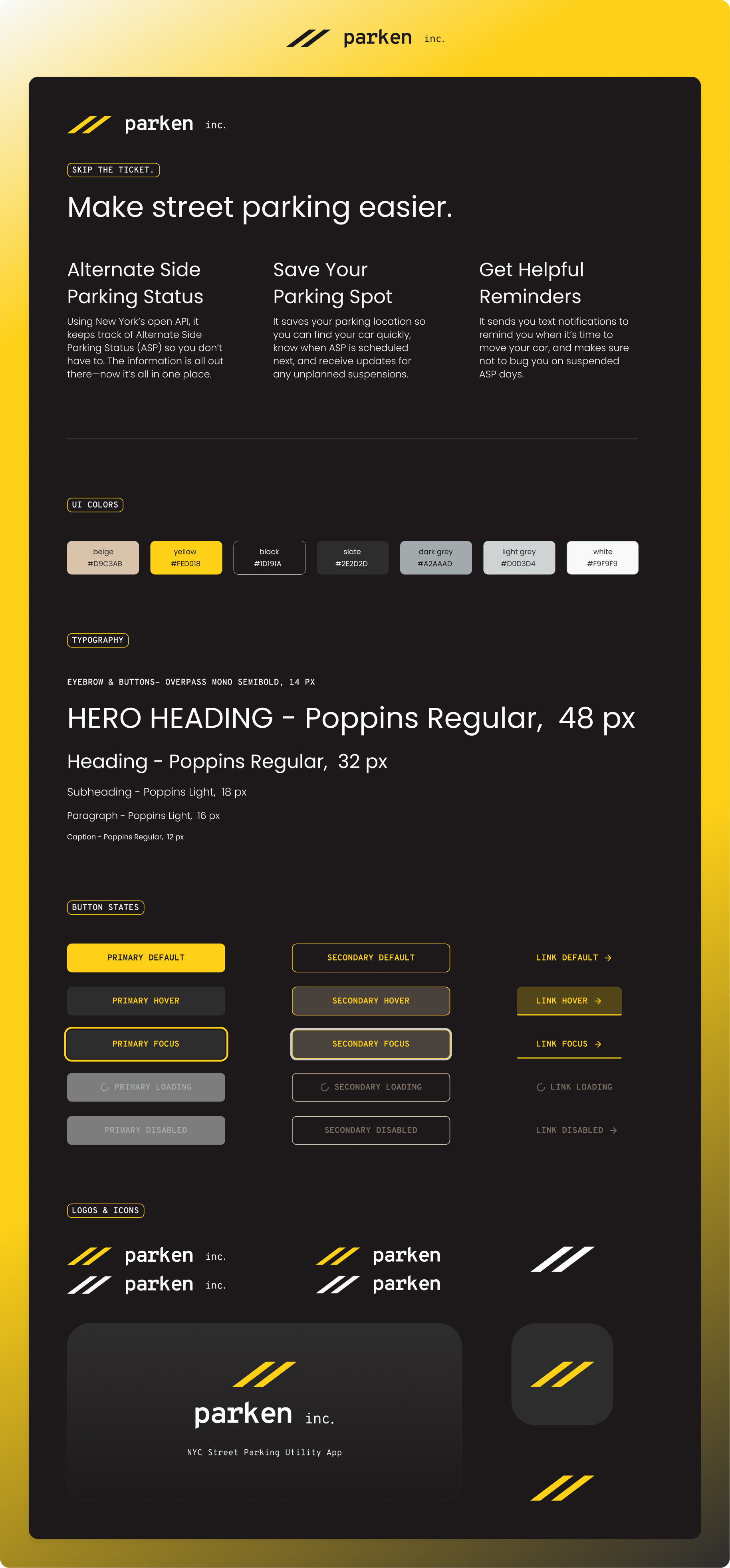
Much of the UI component layouts were guided by Shadcn’s design library, but the brand identity informed how those components were styled.
I wanted to develop a bold brand identity that reflected the hustle of NYC street parking. To do so, I built a UI palette around colors like traffic yellow and asphalt.
I chose Overpass Mono for buttons, eyebrows, and the logo as it is used in some street signage. I chose Poppins as the complementary typeface for paragraph text because it is a sans-serif, geometric font with lots of versatility and roundedness that contrasts well with the utilitarian vibe of Overpass Mono.
Lastly, the logos and icons reference the semiotics of traffic—in this case, double yellow lines. They’re also a tongue-in-cheek reference to some New Yorkers’ workaround for moving their car: double parking across the street until sweeping is over, so they don’t lose their prime spot.
wireframes
Architecture and Reusable Components
Using Shadcn’s Figma UI Kit, I designed the architecture for the main screens. I prioritized the key functions the app provides users: at-a-glance daily status and parking reminder set-up.
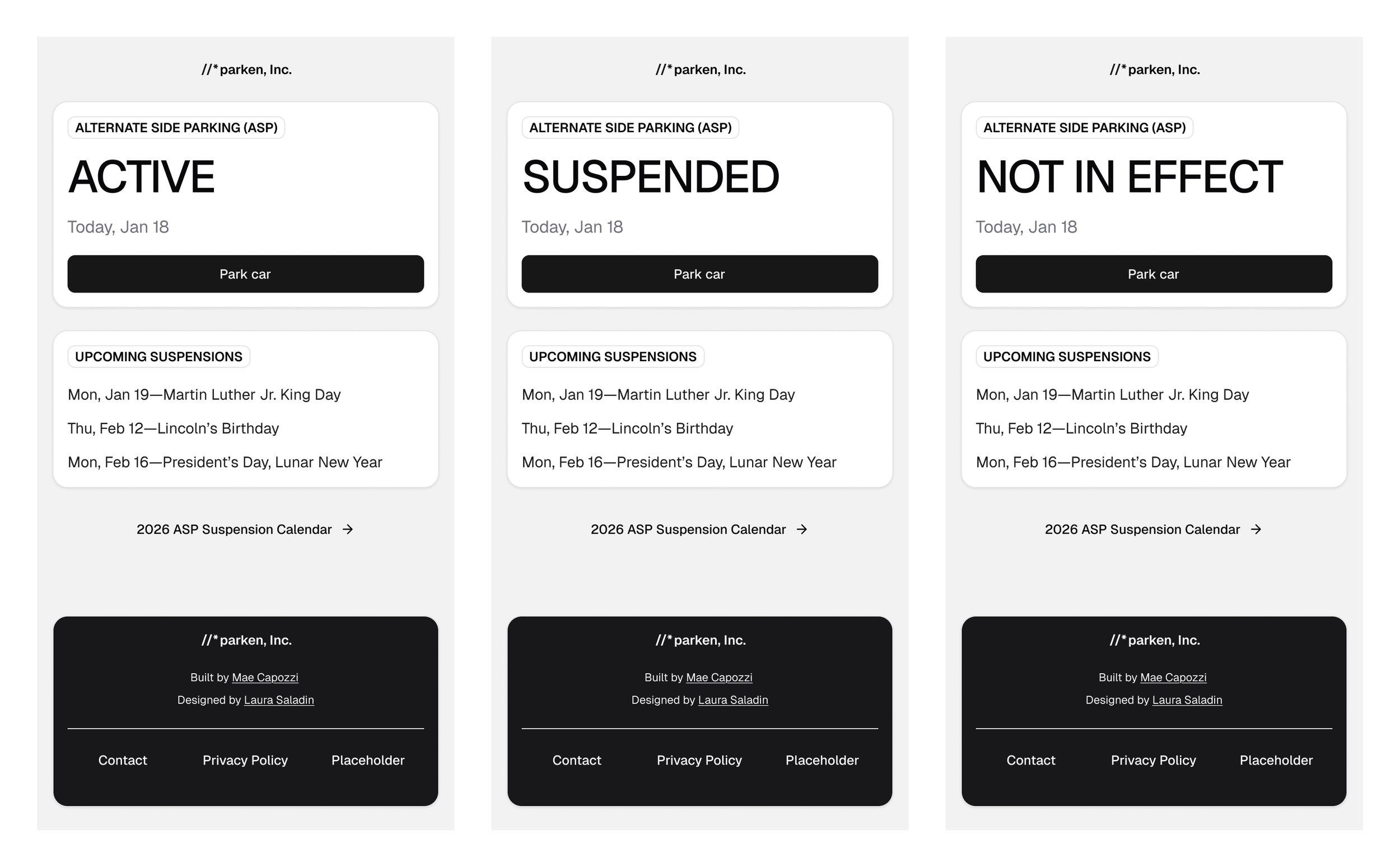
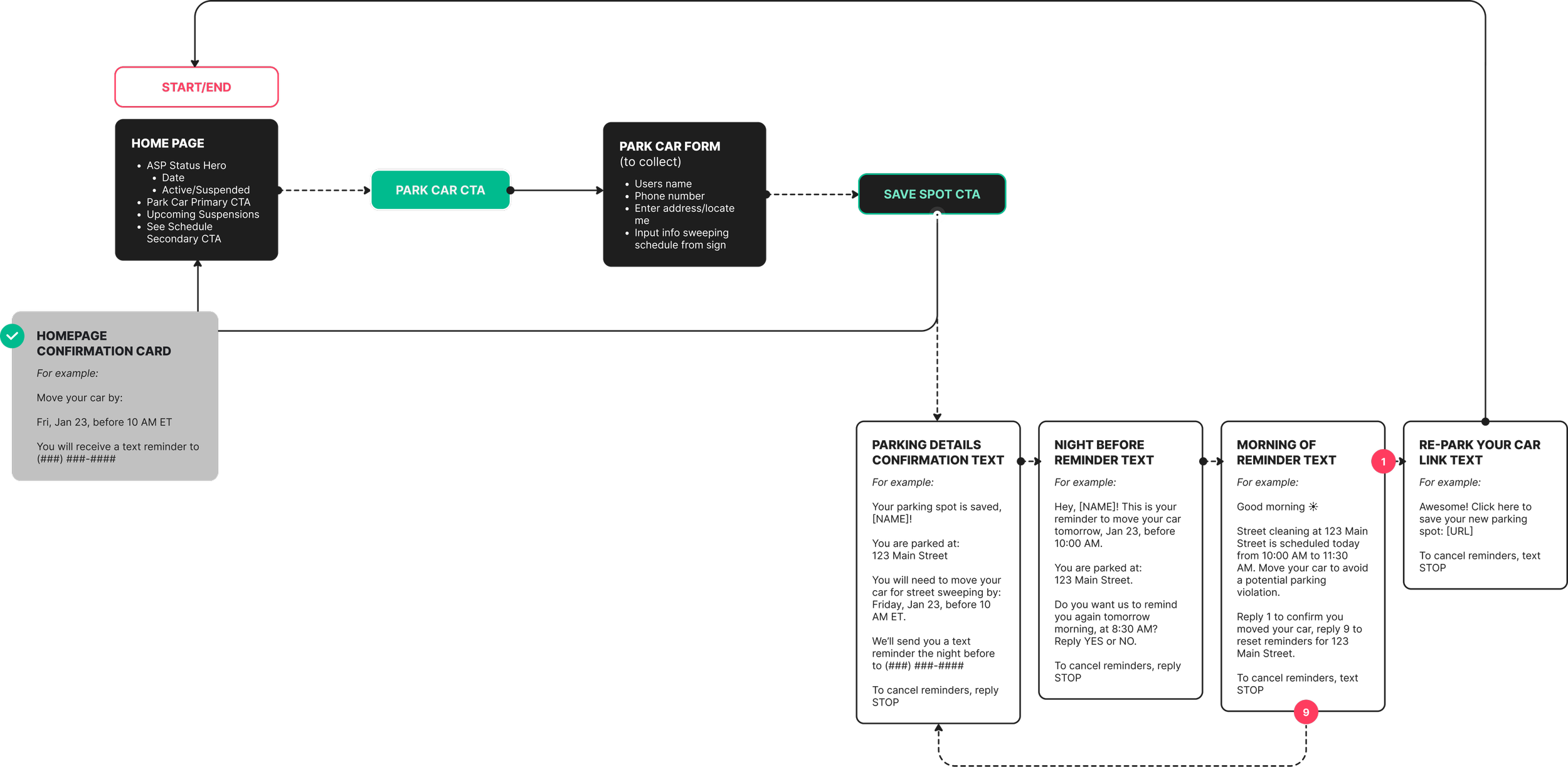
The initial view immediately shows users’ ASP status and a CTA that starts the Park Car flow. After that, a list of upcoming ASP suspensions allows users to plan ahead. We also wanted to link to external NYSDoT resources for even more detail. Future iterations will host simplified versions of those resources in-app.
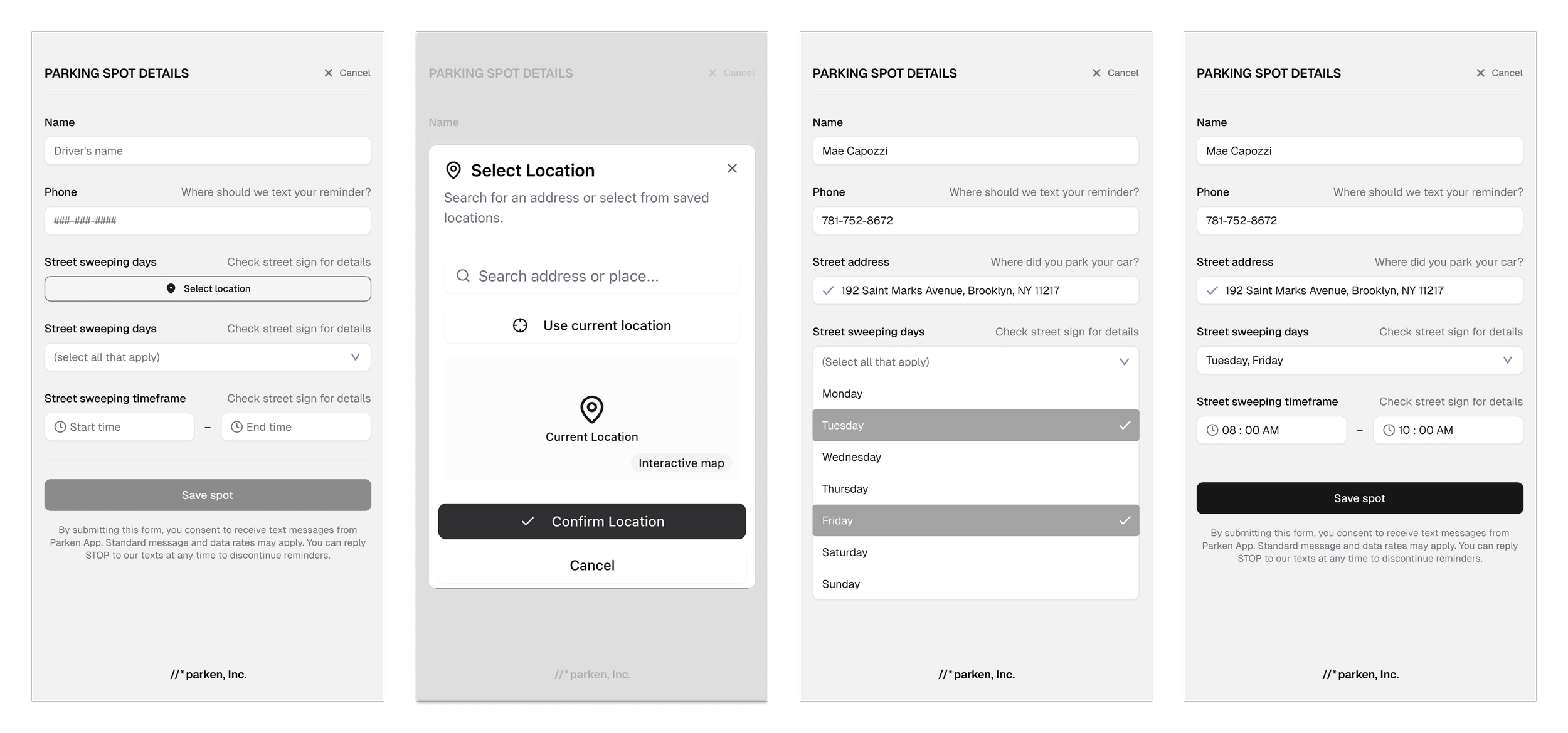
The Park Car CTA takes users to the Parking Spot Details form. The form collects contact information and street parking details. Secondary field labels cue users to review street signs for street sweeping and parking restriction details. Manual entry of parking details is not ideal, but sufficient for an MVP.
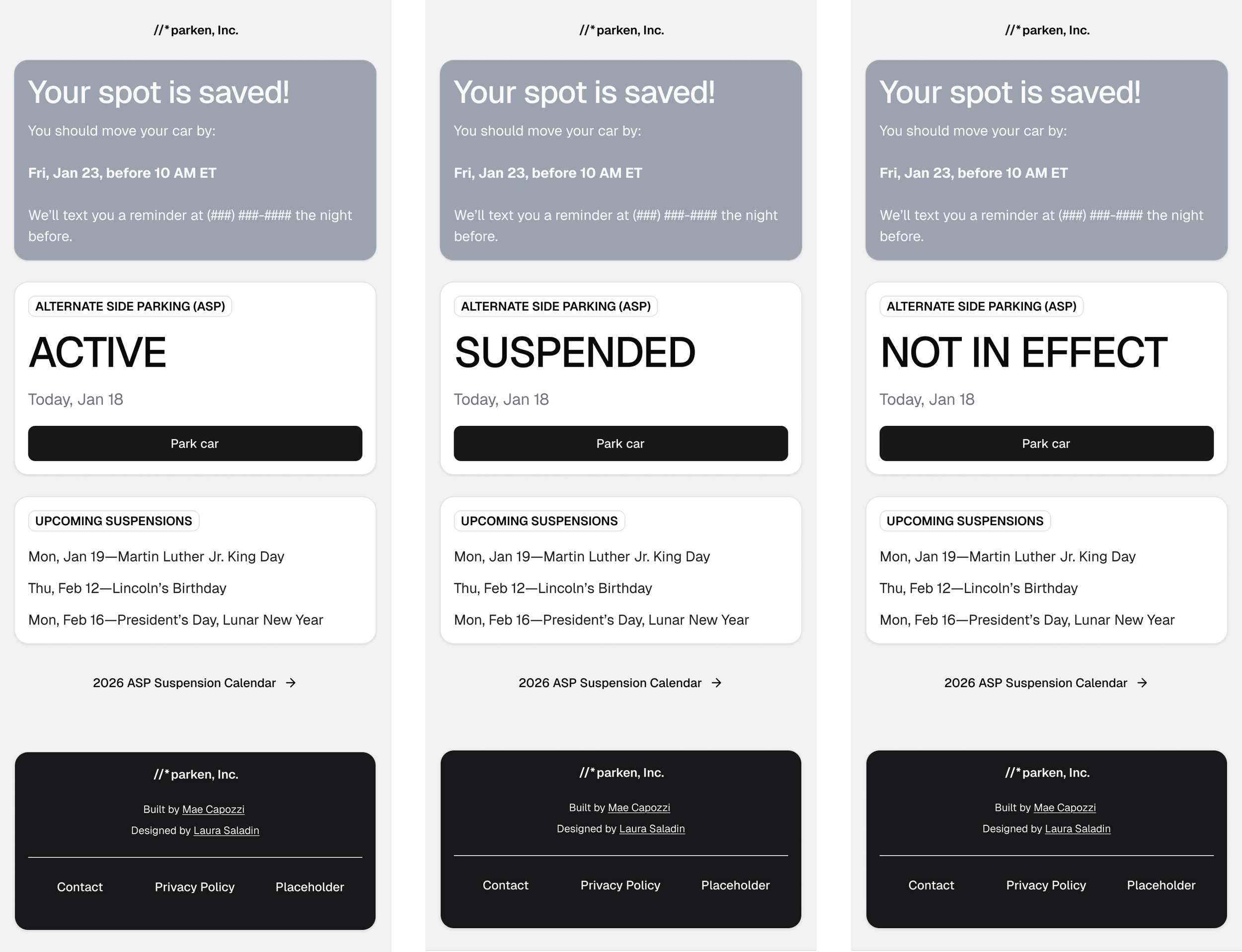
The Park Car CTA takes users to the Parking Spot Details form. The form collects contact information and street parking details. Secondary field labels cue users to review street signs for street sweeping and parking restriction details. Manual entry of parking details is not ideal, but sufficient for an MVP.
hi-fi mocks
IV. Debrief.
What did we learn? How can we improve?
future features
Product Vision
Currently, Parken is a web-based MVP. In the future, we hope to design and build out a mobile application that users can access from their home screens. Additionally, there are a few “bonus” features that could not be accommodated for the MVP, as well as some additional features we proposed following some informal usability testing.
User Accounts
Creating accounts will provide many additional features, such as push notifications, saving favorite spots, keeping track of multiple vehicles, editing parking and alert info, and more.
Photo Scan Parking Signage
Rather than manually entering their parking info, users could use their phone cameras to scan, save, and confirm the ASP sign details for their parking spot on the app.
Share Reminders
Allowing users to share calendar invites from the app with the parking location and time they need to move the car will be useful when they must rely on someone else to move it for them.
Additional Cities
Moving your car for street sweeping isn’t a problem unique to NYC. Friends have asked to test the app for other major cities like Boston, Chicago, and more.
key takeaways
The Rundown
Identified a real pain point for NYC's drivers: the time-consuming and costly challenge of tracking street parking and ASP schedules.
Conducted discovery research to understand user needs, evaluate existing city resources (NYCDoT API, NYC311, NYCDoT Signs), and define MVP success criteria.
“Quick and easy to use” was the north star that led to prioritizing minimal content, high contrast, and an immediately accessible primary flow.
Designed reusable wireframe components using Shadcn's Figma UI Kit, then iterated through to high-fidelity mocks. This accelerated design and simplified developer handoff.
Developed a cohesive brand identity inspired by city streets and focused on readability. The brand consists of high contrast colors like traffic yellow, asphalt tones, and double yellow line iconography; Plus, intentionally selected typefaces like Overpass Mono (used in street signage) for buttons and logo, and Poppins for body text to balance utility with approachability

more case studies.
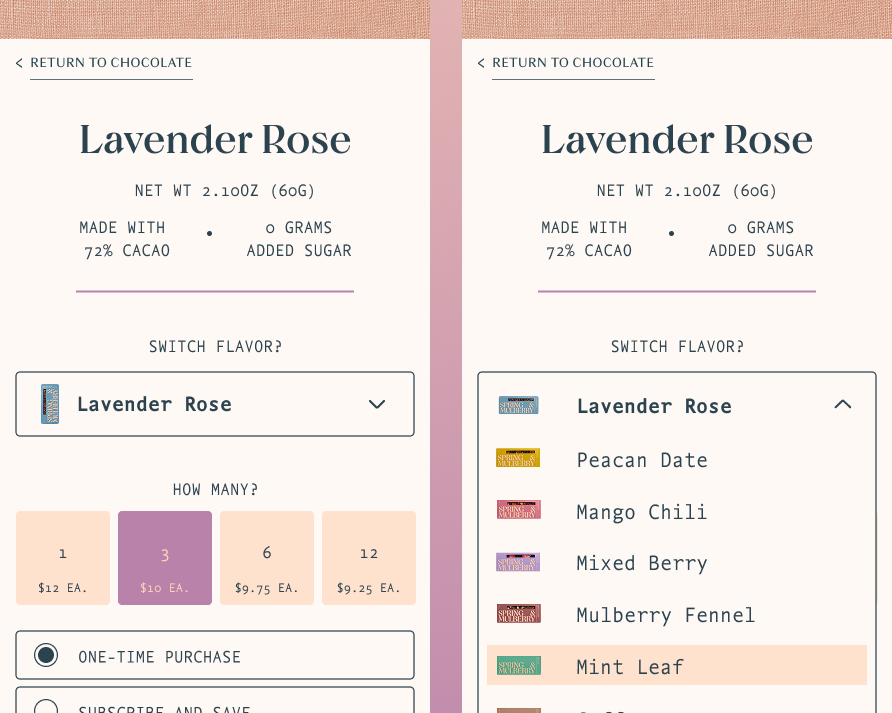
shop flow redesign & recipe blog
Spring & Mulberry
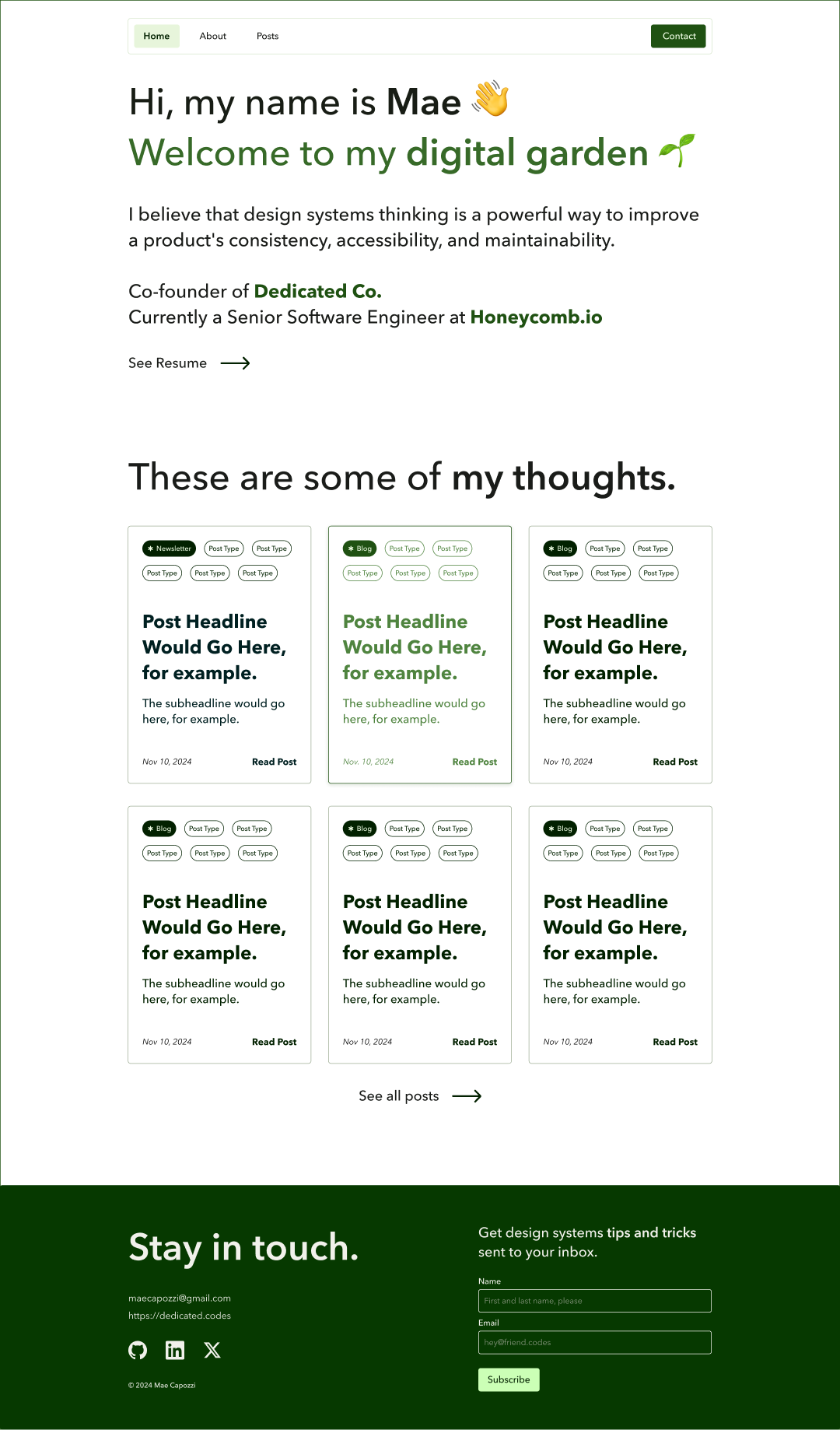
blog design
Mae Capozzi Digital Garden